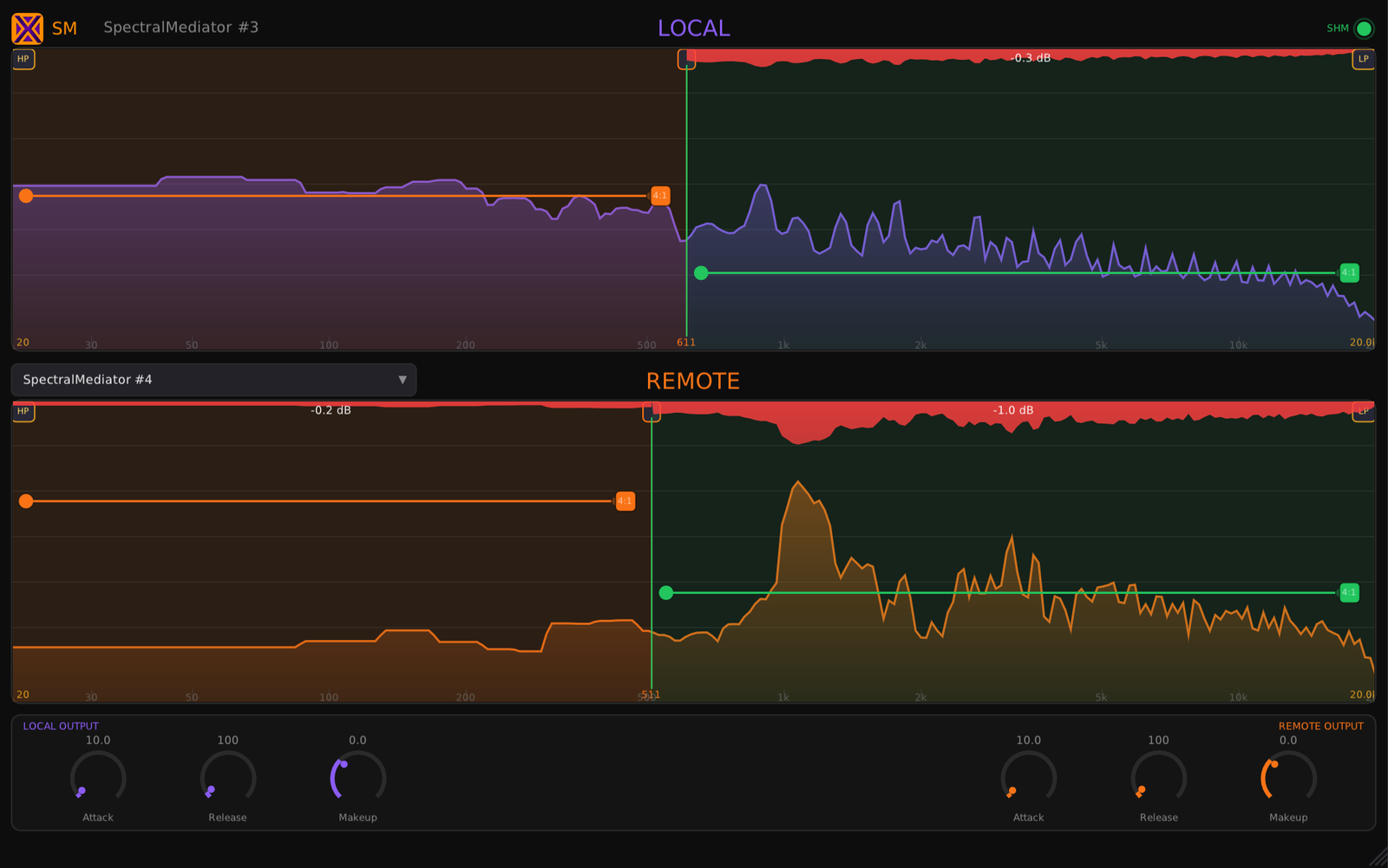
Stacked LOCAL (purple) and REMOTE (orange) FFT analyzers — right-click to add band splits, drag the HP/LP and threshold handles.
Your kick and bass stop stepping on each other — only where they collide, only while they do. The rest is left untouched.
One on each track, paired from a menu. Each ducks just the clashing frequencies, both ways at once. No sidechain bus to wire.
Kick and bass from “Dark Good Time”, each with a SpectralMediator paired to the other. They duck bin by bin, only where they collide — the low end clears without a static EQ.
Music: xeniclex · loudness-matched A/B, rendered in a real DAW.
Stacked LOCAL (purple) and REMOTE (orange) FFT analyzers — right-click to add band splits, drag the HP/LP and threshold handles.
You never say which frequencies to cut, and neither track ends up permanently thinned. It moves only where they clash, only while they clash.
By hand this is dozens of narrow dynamic-EQ bands, each sidechained, on both tracks. Here it's two instances and a menu.
Drop one on each masking track, pick the partner from a menu, and they carve room for each other — bin by bin, both ways.
Plenty of plugins talk across a session now. What's rare here: it's per-frequency and mutual, so both tracks keep their body and only the clash moves.
If you just want the bass to duck under the kick, a sidechain comp does it. This is for when a full-band duck would gut the track.
It's both useful and fun. I have various spectral compressors and always find a use case for each one. I like the sound. It's simple to use. Has been fun to get some back-and-forth dynamics between the kit and bass that is not the same as wideband ducking.
I like it — it's simple to use and effective. I don't really use masking plugins, just EQ myself. This is handy though.
So the main idea is that I can duck the guitar with the vocal at mid frequencies and simultaneously duck the vocal with the guitar at high frequencies? … Actually it is really useful plugin :)
Another cool plugin that works on Linux! Thank you!
| Specification | Details |
|---|---|
| Plugin Formats | VST3 (Windows, Linux, macOS) — AU (macOS) — CLAP (Windows, Linux, macOS) |
| Platforms | Windows 10/11 (64-bit) — Linux x86-64-v3 — macOS 10.13+ Intel/Apple Silicon (universal) |
| Engine | FFT magnitude exchange via Boost.Interprocess shared memory (1024 linear bins) |
| Paired Instances | Up to 16 per session, auto-discovered |
| Bands | Unlimited user-defined splits per side, independent threshold + ratio |
| Detection range | Draggable HP / LP limits (20 Hz – 20 kHz) |
| Envelope | Attack, Release, Makeup per side |
| CPU | SIMD optimized — requires x86-64 with AVX2 |
| Parameters | Automatable in VST3, AU and CLAP hosts |
| Framework | Built with iPlug2 — open-source C++ audio plugin framework |
| License | Perpetual — Gumroad-validated online. Separate key from McPlugins. |
Full functionality in demo mode — audio is briefly muted every 60 seconds with a smooth fade so you can fully evaluate the plugin before purchasing. No sign-up required.
The Windows installer is not code-signed, so SmartScreen may say the publisher is unknown, and a brand-new installer occasionally trips an antivirus heuristic. Neither is a detection — it is a reputation score that every unsigned release starts from zero.
C:\Program Files\Common Files\VST3\
and
C:\Program Files\Common Files\CLAP\
Nothing to do. The disk image, the installer and all three plugin bundles are signed with an Apple Developer ID and notarized by Apple, with the ticket stapled into the files so it works offline. The publisher shows as Tony Cuny — the legal name behind Xeni Audio, which is what Apple puts on the certificate. Logic loads the AU with no workaround.
One license, all formats, all platforms, forever.