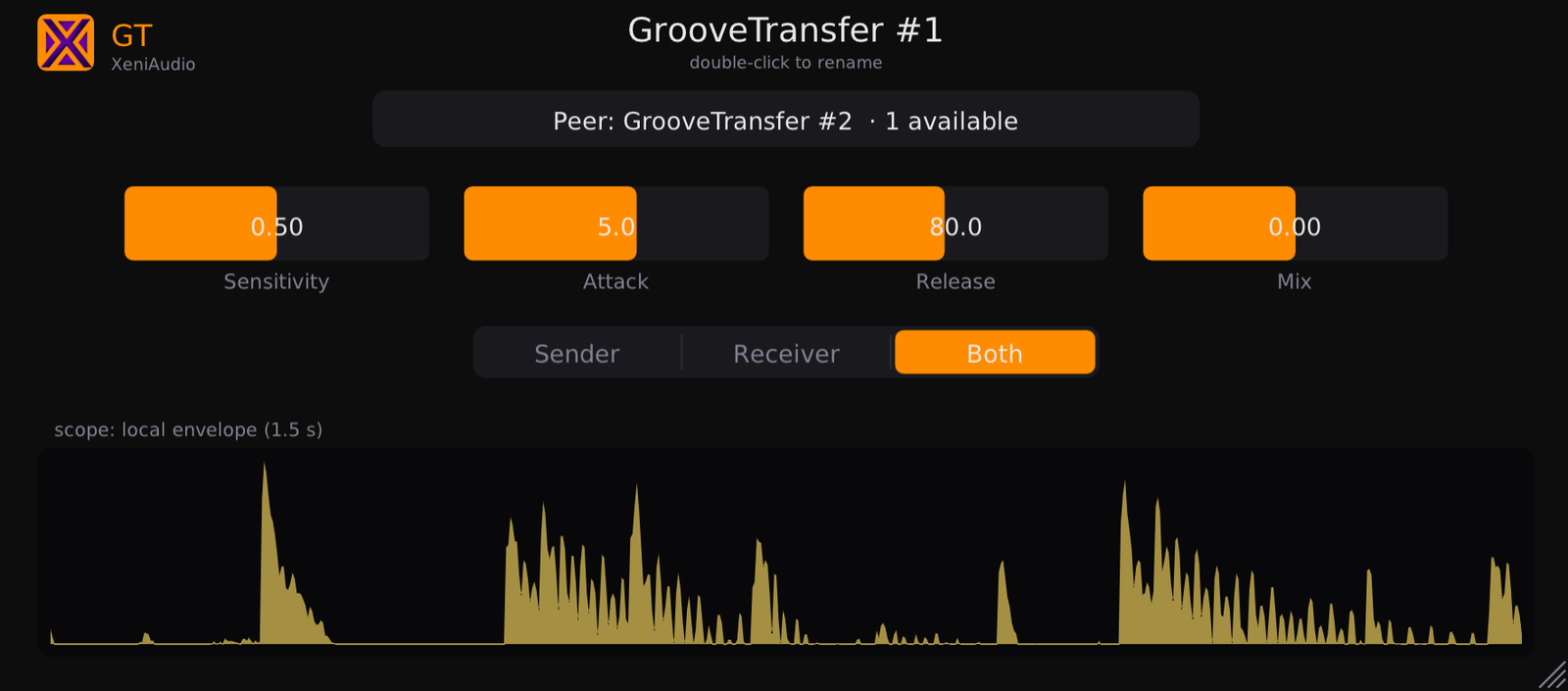
Pick a peer, pick a role, and watch the groove flow — the scope shows the envelope you broadcast or receive, live.
The kick pumps the bass. The drums make the pad breathe. No MIDI, no routing, no cables — and it's free.
It lifts the groove of one track and rides another's volume in time with it. Instances pair by name over shared memory, across tracks and formats.
A held synth and the drums from “Always Another Begin”. GrooveTransfer stamps the drum groove onto the synth — no MIDI, no routing. The synth starts breathing in time.
Music: xeniclex · loudness-matched A/B, rendered in a real DAW.
Pick a peer, pick a role, and watch the groove flow — the scope shows the envelope you broadcast or receive, live.
Sidechain compression borrows another track's energy, but needs a bus and only ducks. GrooveTransfer lifts the groove itself and rides your track's volume with it — no routing.
Under the hood it's one honest move: an automatic volume ride, the receiver following the sender's groove in time.
The Sender traces the drums' transients; the Receiver rides its own volume to match — the pad breathes in the pocket.
| Specification | Details |
|---|---|
| Plugin Formats | VST3 (Windows, Linux, macOS) — AU (macOS) — CLAP (Windows, Linux, macOS) |
| Platforms | Windows 10/11 (64-bit) — Linux x86-64 — macOS 10.13+ Intel/Apple Silicon (universal) |
| Engine | Fast/slow envelope follower pair extracting the transient groove, broadcast at a reduced control rate (4 kHz) — negligible CPU per pair |
| Multi-instance | Sender / Receiver / Both roles over Boost.Interprocess shared memory — up to 16 instances, auto-discovered, paired by name |
| Controls | Sensitivity, Attack (0.1–100 ms), Release (5–2000 ms), Mix (−24…+24 dB), Role |
| Parameters | Automatable in VST3, AU and CLAP hosts |
| Framework | Built with iPlug2 — open-source C++ audio plugin framework |
| Price | Free — full version, no license key, no account, no time limit. |
GrooveTransfer is completely free — the full plugin, not a demo. No sign-up, no license key, no watermark, no muting.
The Windows installer is not code-signed, so SmartScreen may say the publisher is unknown, and a brand-new installer occasionally trips an antivirus heuristic. Neither is a detection — it is a reputation score that every unsigned release starts from zero.
C:\Program Files\Common Files\VST3\
and
C:\Program Files\Common Files\CLAP\
In some hosts the resize grip sits bottom-right — drag it to fit your layout.
Nothing to do. The disk image, the installer and all three plugin bundles are signed with an Apple Developer ID and notarized by Apple, with the ticket stapled into the files so it works offline. The publisher shows as Tony Cuny — the legal name behind Xeni Audio, which is what Apple puts on the certificate. Logic loads the AU with no workaround.
If GrooveTransfer earns a place in your sessions, the rest of the XeniAudio range shares the idea: instances that talk, no routing.